You know that feeling of disorientation when, seized by the sudden urge to play The Witcher 3, you find yourself wandering through endless tabs of Steam, Epic Games Store, GOG and Ubisoft Connect without remembering which platform you bought it on? Or that primordial frustration when, craving a nostalgic dive into Monkey Island, you have to launch ScummVM first, set up the paths, audio options, and finally load the ROM?
Well, Playnite is the solution to all your (gaming) woes.
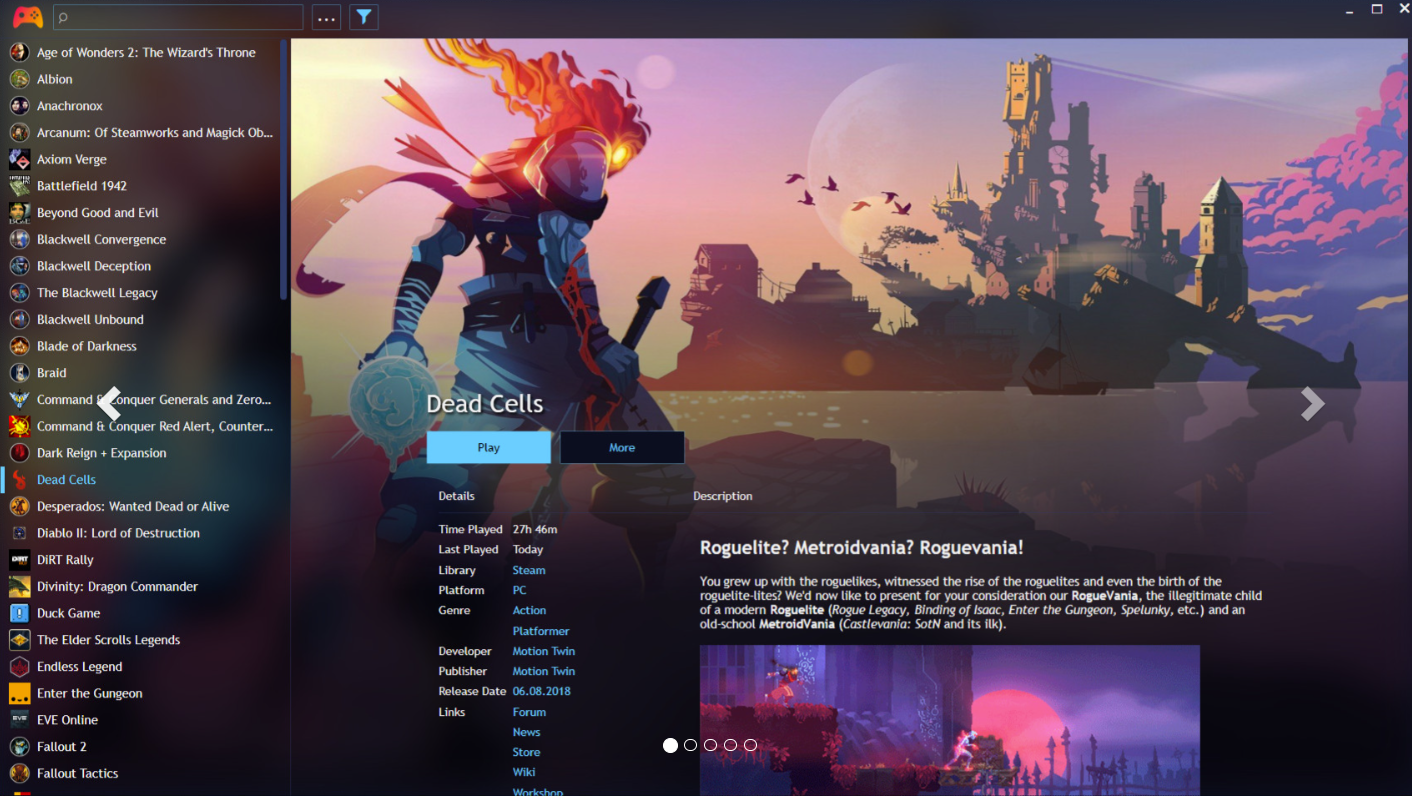
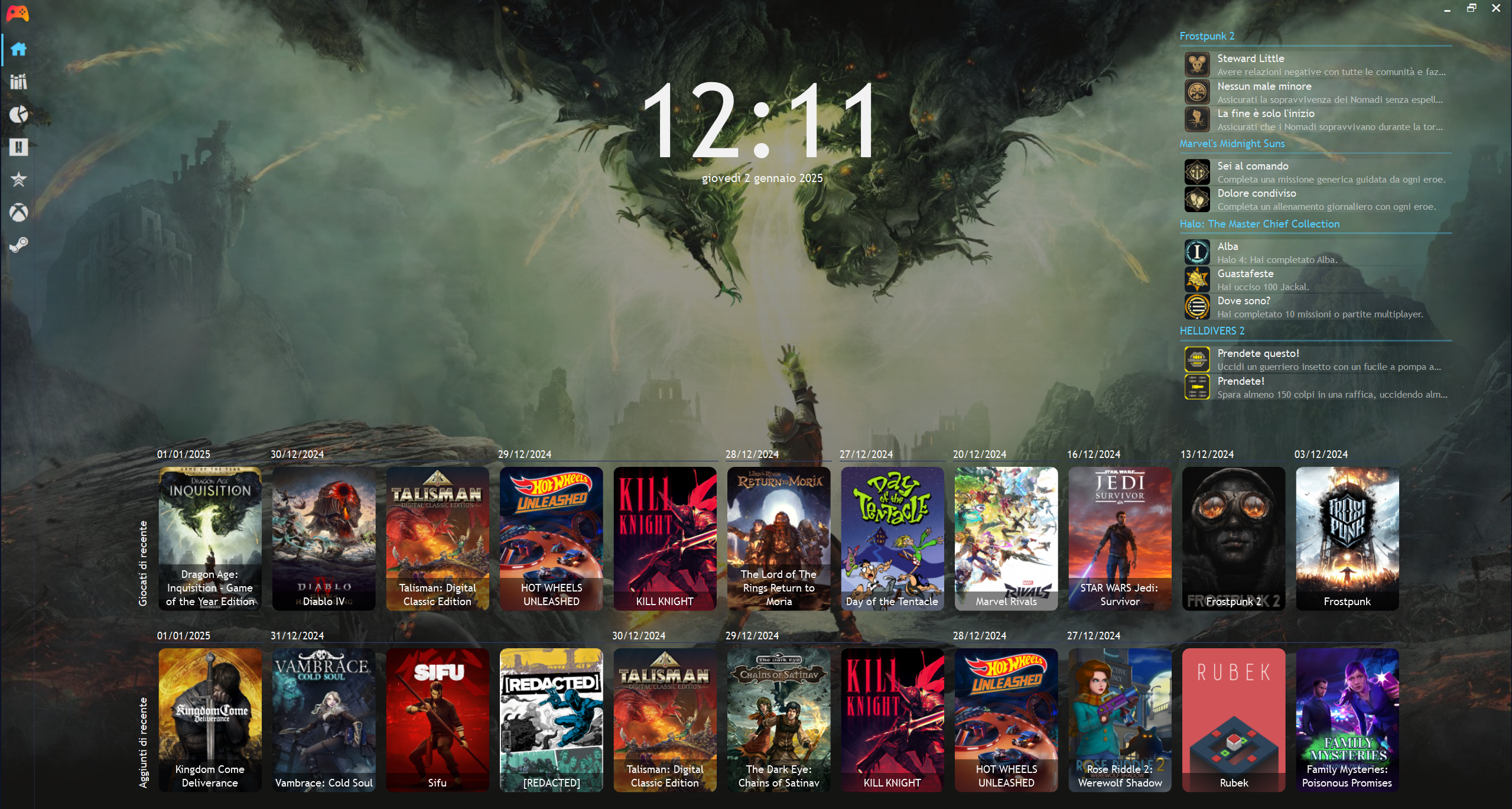
This open source software, freely available for Windows, lets you bring all your games together — regardless of platform — into a single, elegant interface. Whether they’re triple-A titles, experimental indie games or emulated classics, Playnite catalogues, organises and launches them with a simple click.
Thanks to its open source nature, Playnite is a true customisation gem. An active and passionate community has created a myriad of plugins and extensions that expand its capabilities enormously.
A universe of plugins
Want to integrate your favourite emulators (RetroArch, DOSBox…) and browse your ROM collection as if they were modern games? There’s a plugin for that. Want to track your play time, unlocked achievements or import ratings from Metacritic? There’s a plugin for that. Want to customise the interface with unique visual themes inspired by your favourite console? There’s a plugin for that too.
In short, Playnite is like digital LEGO: you can build the game library of your dreams, piece by piece, plugin by plugin.
Installation: easy as pie
Convinced? Here’s how to install Playnite on Windows:
- Download the installer from the official website (playnite.link). Choose between the “full” or “portable” version depending on your needs.
- Run the installer and follow the on-screen instructions.
- On first launch, Playnite will ask you to import your libraries. Select the platforms (Steam, GOG, Epic Games Store…) and enter your login credentials.
- Note: some antivirus software may flag Playnite as a false positive — this is a known issue due to the open source nature of the software. Add Playnite to exceptions and proceed.
In minutes you’ll have a centralised, customisable game library ready to meet your every need. What are you waiting for — free yourself from the chains of proprietary launchers!